

A Makkah ziyarah Google Maps list is a good starting point, but it is not a booking. Before it becomes one, check what each saved pin actually marks, remove duplicates and places you will only see from outside, choose the planner’s own named location wherever one exists, and read the route summary to confirm that every stop resolved to the place you meant. Then decide the order, the return and the people.
This guide is for anyone who has spent evenings saving places in Makkah on their phone and now wants to turn them into a real outing. It explains what a map pin can and cannot tell you, how to check pins for the common ziyarah sites, how the Makkah Cabs planner handles typed places and stops, how to share the list with family without confusion, and how to write useful booking notes from your research. A worked example and a checklist follow at the end.
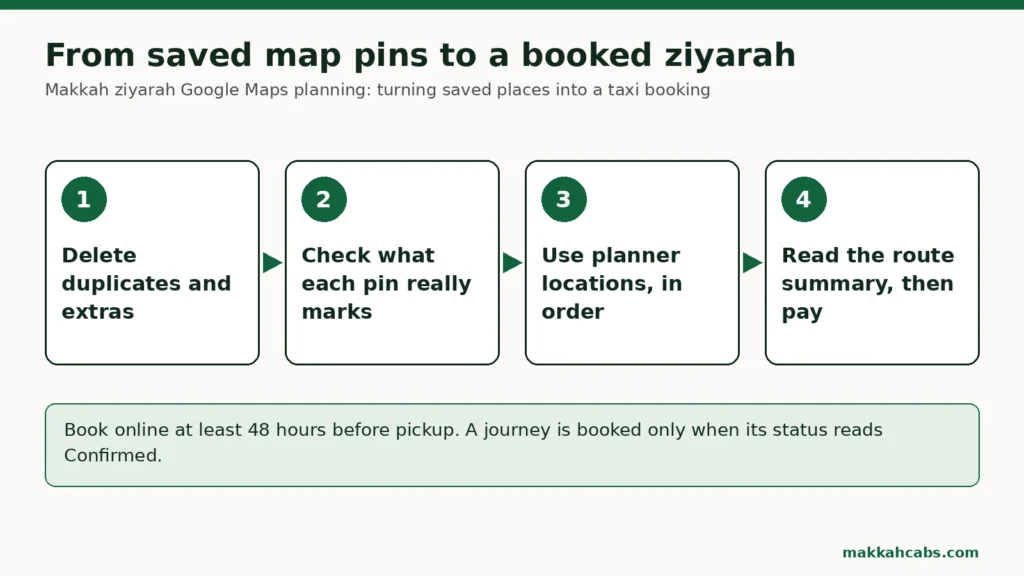
From a Makkah ziyarah Google Maps list to a booking
Most families build their list the same way. Someone saves Jabal al-Nour, then Hira Cultural District, then Jabal Thawr, then Masjid Aisha, then a restaurant a friend recommended and a museum they saw on a video. After a week the list has fifteen pins and nobody remembers why three of them are there.
A booking needs something quite different. On Makkah Cabs, a journey is one pickup, one destination, a date and time in Saudi local time, the passengers and bags, and up to eight stops in order. The pickup and destination must differ, so a trip out and back is two journeys, each with its own time.
So the job is to turn a loose collection into a short, ordered plan: where you start, where you stop, where you finish, and when you come back. The map helps with the first part. It cannot do the rest.
What a saved pin actually marks
A pin is a point on a map with a name attached. Before you rely on one, ask what that point really is.
- A mountain pin may mark the summit. Saudipedia describes Jabal al-Nour as 642 metres above sea level, about 4 km north-east of the Grand Mosque, with the Cave of Hira in the mountain. A pin at the cave or the peak is not a place a car can reach.
- A district pin may mark its centre. Hira Cultural District, which Saudipedia says spans over 67,000 square metres beside the mountain, is a large site. The pin may sit in the middle, not at a road entrance.
- A mosque pin may be accurate, or may be a nearby shop. Business listings sometimes borrow a landmark’s name.
- Two pins may be one place. English and Arabic names, or Makkah and Mecca spellings, can produce duplicate entries.
None of this makes the map useless. It means the pin is a clue, and the planner’s route summary is the check.
Checking map pins for ziyarah sites
The most common saved places for a Makkah ziyarah fall into a few groups. Here is how to handle each when checking map pins for ziyarah sites.
| Saved place | What the pin may show | What to enter in the planner | Where to check officially |
|---|---|---|---|
| Hira Cultural District | Centre of the district | The Hira Cultural District entry in popular locations | The district’s own website |
| Jabal al-Nour, Cave of Hira | Summit or cave | Usually Hira Cultural District, beside the mountain | Saudipedia |
| Jabal Thawr | Summit | Jabal Thawr Cultural District, typed and checked | Saudipedia |
| Masjid Aisha, Masjid al-Taneem | The mosque | The Masjid Aisha / Al-Taneem entry in popular locations | Saudipedia |
| Your hotel | A hotel, sometimes the wrong branch | The hotel’s full name, checked on the route summary | Your hotel booking |
| A café or shop | A business listing | Its full name and district, typed and checked | The business itself |
Places the planner already knows
The planner offers popular locations, including the Clock Royal Tower and Fairmont Hotel, the Hilton Hotel & Convention Jabal Omar, Hira Cultural District and Masjid Aisha / Al-Taneem. Where your saved place matches one of these, use the planner’s entry rather than typing the name from the map.
Places you type in
Any other place is typed and must be checked in the route summary. Type the fullest name you have, including the district, and look carefully at what it resolves to. If the planner shows something in a different part of the city from the one you expected, stop and check before paying.
A rough sense of distance helps here. The routing engine measures about 13 km from the Clock Royal Tower to Hira Cultural District, and about 13 km from the Clock Tower to Masjid Aisha. Saudipedia places Jabal Thawr Cultural District about 4 km south of the Grand Mosque. If a route summary for a stop in central Makkah shows something wildly different, the place probably resolved to the wrong pin.
Cleaning the list before you plan
Before you open the planner, spend a few minutes tidying the list itself.
- Delete duplicates. Keep the one with the clearest name.
- Delete places you no longer want. If nobody can remember why it was saved, it goes.
- Separate views from visits. Mountains seen from below do not need a long stop. Our guide to Makkah ziyarah sites seen from outside versus places you go in helps sort them.
- Mark each remaining place as essential or optional.
- Group by direction. Places north of the Haram and places south of it rarely belong in the same short outing.
- Note opening hours for anything you enter, from the venue’s own site.
What is left is usually a short list: two or three essentials and one or two options. That is a realistic ziyarah.
Saved places to a taxi booking: how the planner uses them
Once the list is clean, moving from saved places to a taxi booking is straightforward.
Pickup. Your hotel, named exactly as on the hotel booking, or a popular location if it matches.
Stops. Up to eight, in the order you want to visit them. The route is measured through them in that order, so the order matters. Our guide to ordering the stops on a multi-stop Makkah visit sets out the principles.
Destination. The last place on the outing, or your hotel if the journey brings you back.
The return. If the outing ends at a site and you want to come back later, the return is a separate journey from that site to the hotel, at its own time. Our article on agreeing the return pickup for a Makkah ziyarah explains why.
Passengers and bags. Only vehicle classes that pass the capacity check for your party and luggage are shown.
The route summary. Read it line by line against your list. Each stop should be the place you meant.
Remember the booking rules that apply to every journey. Online bookings need at least 48 hours’ notice before pickup. Each journey has a minimum booking value equivalent to £40. Payment secures a provisional request, the status should update within 1 to 12 hours, and the journey is booked only when it reads Confirmed.
Stops are fixed once you pay. Only the pickup time can be changed from your account, so the map work has to be finished before payment, not after.
Sharing the list with family
Google Maps lets you make a list private or shared. According to Google’s own help page on creating a list of places, you can invite others to edit a shared list, or turn off the setting that lets others edit it. The same page notes that anyone who can view your list can also see the names and profile pictures of people who have joined it.
For a family ziyarah, that suggests a simple approach.
- One person edits. Too many editors produce a list that nobody owns. Turn off editing for others once the list is settled.
- Everyone can view. Share a view-only link so relatives can see the places.
- Mind the names. If you share the list more widely, remember that the people who joined it are visible.
- The booking is the plan. Once you have booked, the account shows the journeys, status and, once assigned, the driver’s name. The map list becomes a reference, not the plan.
For the booking itself, the planner’s basket can email a secure review link, so another adult can check the actual journey before one person pays. That is more reliable than a screenshot of a map.
Hotels, flats and places without a clear name
Some places on your list will be hard to name: a family flat, a small hotel with several branches, a meeting place near a relative’s building.
Saudi Arabia’s National Address can help. Saudi Post’s National Address page describes a building number, street, district, postal code, city and an additional number, and a short address of four letters and four numbers. If your accommodation gives you a National Address or short address, put it in the booking notes alongside the name.
Our guide to choosing a Makkah hotel pickup point or an agreed meeting place covers meeting places at hotels, where a map pin alone is often not enough.
Writing booking notes from your pins
Your research is useful to the driver when it is turned into plain words. For each stop, write one line:
- the name as the planner shows it;
- what you want to do there: enter, view from outside, or a short stop;
- any meeting point for the return, in words.
Do not paste a list of map links into the notes. A driver cannot tell from a link which of fifteen pins matters. If you need to show a precise meeting point on the day, send a live location from your phone when you are there.
The phone on the day: offline maps and data
A Makkah ziyarah Google Maps list is only useful on the day if the phone holding it works. Visitors from abroad often rely on roaming, which can be slow or expensive, or on hotel Wi-Fi, which stops at the hotel door.
Ofcom’s guidance on using your mobile abroad suggests speaking to your provider about roaming before you travel, downloading maps in advance, using Wi-Fi where you can, and considering a local SIM or eSIM. For a ziyarah, that translates into a few simple habits.
- Download the area before you leave the hotel, so the map still shows your saved places without a signal.
- Keep the booking details on the phone as text, not only as an email that needs data to open.
- Charge the phone fully, and carry a small power bank if you have one. Live location and maps use battery quickly.
- Make sure a second adult has the same details, in case one phone fails.
The phone that holds the map should also be the one the driver can call, or at least one that is with the group at every stop.
Common mistakes when a map list becomes a booking
The same few slips turn up whenever a Makkah ziyarah Google Maps list is copied straight into a booking.
- Booking the summit. A pin at the Cave of Hira is typed in as the destination, and the route summary resolves somewhere nobody can be dropped. Use the district instead.
- Too many stops. Eight stops are allowed, but eight places in one outing is rarely a good day for a family.
- Criss-crossing the city. Stops north and south of the Haram in one journey make a long route for a short visit.
- Forgetting the way back. The list has places to go but nothing about returning to the hotel.
- Trusting the map’s name. A business listing borrows a landmark’s name and the stop resolves to a shop.
- Changing the list after paying. Stops are fixed at booking; only the time can be changed online.
Each of these is caught by reading the route summary slowly, with the list beside you, before you pay.
What the map cannot tell you
A map is good at showing where things are. It cannot tell you:
- Opening hours that apply on your date. Check the venue’s own site.
- Tickets. Hira Cultural District, for example, sells tickets for its exhibitions and museums through its official site.
- Where a car may stop. We cannot promise where a vehicle may stop at any site; that is managed on the day.
- How far you will walk from the drop-off point to what you came to see.
- How long the journey will take. We do not quote journey times, because they vary widely.
Keep the optional places as a plan B
The places you cut from the booking still have a use. If an essential site turns out to be closed or very busy when you arrive, a nearby optional place from your list can save the outing, provided it fits the route and the time you have booked. Keep those optional pins in a separate list called something obvious, such as “if we have time”, so nobody confuses them with the plan.
Do not expect the driver to add them on the day. The booked route and stops are what the journey covers, and changes to stops need the booking team. Our guide to a plan B when a Makkah ziyarah site is closed or busy explains how to prepare an alternative before you pay.
For the busiest site on most lists, Hira Cultural District, the return meeting point matters as much as the drop-off. Our article on the Hira Cultural District pickup point covers where to agree to meet the car.
Worked example: Hamza and Aisha’s list of nine places
Hamza and his sister Aisha are planning an afternoon for themselves, their mother and Aisha’s two children. Between them they have saved nine places in a shared list.
They sit down with the list and the planner three days before. Hamza deletes two duplicates, one saved as “Mecca, Jabal al-Nour” and the other as the Arabic name. Aisha removes a café nobody remembers saving. Three places left: Hira Cultural District, Jabal Thawr and Masjid Aisha.
They realise that the Jabal al-Nour pin is at the cave, so they use the planner’s Hira Cultural District entry instead. Their mother does not want to climb, so the plan is the district itself, with a view of the mountain.
Jabal Thawr is south of the Haram and Masjid Aisha is north. With children in the car they choose one direction: Hira Cultural District and then Masjid Aisha, both north, returning to the hotel. Jabal Thawr goes on the list for another day.
Hamza builds the journey with the hotel as pickup, Hira Cultural District as a stop and Masjid Aisha as the destination, then books a separate return from Masjid Aisha to the hotel. He reads the route summary against the list and every stop is the place they meant. He sends the secure review link to Aisha, she checks the passenger count, and he pays. Both journeys show Confirmed that evening.
The shared map list stays on their phones as a reminder of what they wanted to see. The account holds the plan.
Checklist: from saved places to a booked ziyarah
- Open the list and delete duplicates and forgotten places.
- Check what each pin marks: summit, centre, business or the real site.
- Mark each place as a visit or a view, essential or optional.
- Group places by direction and keep one direction per outing.
- Use the planner’s popular locations wherever they match.
- Type other places in full and check each on the route summary.
- Book the return as its own journey.
- Write one plain line of notes per stop.
- Send the secure review link to another adult before paying.
- Wait for Confirmed, then treat the booking, not the map, as the plan.
When your list is down to the places that matter, open the Makkah Cabs planner, enter them in order and read the route summary carefully before you pay.